
A QR code on the reception tables can collect guest photographs, but it also puts an album link into many hands. Before printing it, decide who should see the pictures, who can add images and which photographs you want kept out of public posts. Test the chosen arrangement with a small sample album before using wedding photographs.
Decide what each permission means
You may want family portraits taken, enjoy seeing them in a private gallery and prefer that they stay off social media. Tell the photographer those preferences separately. A request about one image does not explain what you want for the rest of the gallery.
Start with concrete situations: dressing-room photographs, children in a group picture, the ceremony, the first dance and honeymoon travel. Identify which can be shared, which need a check and which you want kept private.
Ask guests about their own preferences too. A couple's enthusiasm for a photograph should not become an assumption that everyone pictured wants it posted. If a guest asks for privacy, tell the relevant photographer or coordinator with the guest's permission.
Use a short note you can repeat. The family-boundaries guide can help you keep a request brief without explaining your medical history or appearance concerns.
Clarify the photographer's agreement before the event
Ask how the agreement handles portfolio images, social posts, vendor submissions, advertising and public gallery previews. If you request a change, obtain the agreed wording before signing or rely on an appropriately documented amendment.
Confirm whether approval applies to each image, a selected set or a category such as preparation photographs. Ask who coordinates permission when several suppliers want to post the same event.
Also discuss retouching. Specify any changes you want discussed before they are made, and ask how you will identify them during review. A posting request and an editing request should each have an answer.
These are questions to settle with the professional about your agreement. Album controls do not determine contractual permissions or establish legal rights in every location.
Understand what a Google Photos invitation permits
Google Photos supports invitations to specific Google Accounts and link sharing. Its help page says people with album access can add others. You can control whether participants add photos, comments or likes, and turn off Collaborate to stop photo contributions. [1]
That means an invitation list should not be described to guests as a guarantee that only the original invitees will ever see the album. Ask recipients not to add people without checking, and decide whether that arrangement fits the photographs involved.
Google also says an album link can be passed on. If you remove a person while link sharing stays on, the original link still provides access. Turning link sharing off and back on resets it so the old link stops working. Only the owner controls that setting. [1]
If you distribute a QR code, treat the code as another way of distributing its destination link. Put it only where it serves the intended audience. Do not place a collection intended for a small group on an openly accessible wedding page by habit.
Before the wedding, ask a trusted person to join a sample album and show you what they can see, add and invite others to view. Use ordinary test pictures that contain no private information.
Check the Apple instructions for your software version
Apple's Shared Albums instructions, published October 6, 2026, describe different controls by software version. For albums created in iOS 26 and earlier, Public Website publishes photos to a website viewable in a browser. In iOS 27 and later, sharing options include invited or approved participants and joining through a link, with access-request choices. [2]
Do not follow a screenshot from an older guide without checking what your current album offers. Read the sharing options on the device that manages it, then test access with someone using the kind of device your guests have.
Decide whether participants should be able to contribute. Apple documents a Can Add Photos permission in its newer controls and Participants Can Add Photos in the earlier version. [2] Confirm that the setting you want is active before sending invitations.
Apple says recipients can save shared photographs to their own library, and those saved copies remain even after the shared album is deleted or sharing stops. [2] Choose the images with that limitation in mind.
Ask what guests see in the professional gallery
A delivery gallery may have a client view and a guest view. Ask the photographer to demonstrate both before sending the link to family. Check whether preparation pictures, private portraits and filenames appear where you expect.
For example, Pixieset documents Client Exclusive Access with a separate client password and client-only photo sets. It can allow clients to mark individual photos private; guest gallery downloads exclude client-only photos or sets. The photographer can still view and unhide private images. [3]
That example describes one platform's controls, not a feature every photographer provides. Ask which options are enabled in your gallery and who can change them.
Keep client access details separate from the guest invitation. If you want to send a few selected images, ask the photographer for an appropriate sharing method under your agreement instead of forwarding the most privileged access details.
Ask about downloads separately from viewing. Have the professional explain the available file sizes, expiry date, print arrangements and any costs. Save your own delivered files as agreed before the gallery expires.
Check location information and the picture itself
Google Photos allows control of photo-location sharing within shared albums, links and conversations. Its guidance warns that downloading and emailing a file can expose the original camera-recorded location despite edits made inside Photos. Even a photograph with hidden location details may reveal the place through landmarks. [4]
For a honeymoon post, look beyond the location switch. A hotel sign, room number, boarding document or caption can tell viewers where you are. Choose what you want to disclose before posting.
If you need to share a file outside the album, check the actual exported file and the destination's behavior. Do not assume an album preference follows the file through every messaging or email service.
Give guests a simple request about travel timing if you want one: for example, ask them to wait until you have returned before posting the destination. Tell the people most likely to post rather than relying only on a sign at the wedding.
Keep guest contributions manageable
Name an album owner and agree who checks additions. If someone helps, establish what access the service permits without sharing an account password.
Decide how you will handle duplicates, accidental uploads and requests to remove an image. Give guests a contact who can respond while you are on the honeymoon. Do not promise instant moderation if nobody has agreed to monitor the album.
Make the upload invitation specific: photographs from this event, no private preparation images without checking, and no reposting simply because an image appears in the album. If you want public sharing of a selected set, identify that set clearly.
After testing, print one sample QR card and scan it on another phone. Confirm the destination, any sign-in requirement and the instructions guests will see. A working scan is only the first part of the check.
Make a removal request specific
If an unwanted photograph appears, send the person the exact image or post reference and ask for the change you want. For example: remove the image, remove a location caption or check future posts first.
Ask album owners to use the applicable access and removal settings as needed. Keep the tone focused on the requested action. You do not have to debate why a photograph matters to you.
Removing an album entry cannot guarantee deletion of saved copies or reposts. If the image has been shared onward, ask the original poster who received it and whether they can help pass along the removal request.
Then adjust future sharing to what you can manage: a smaller selection, a different access arrangement or individual messages. You can still keep photographs you love without making the entire collection public.
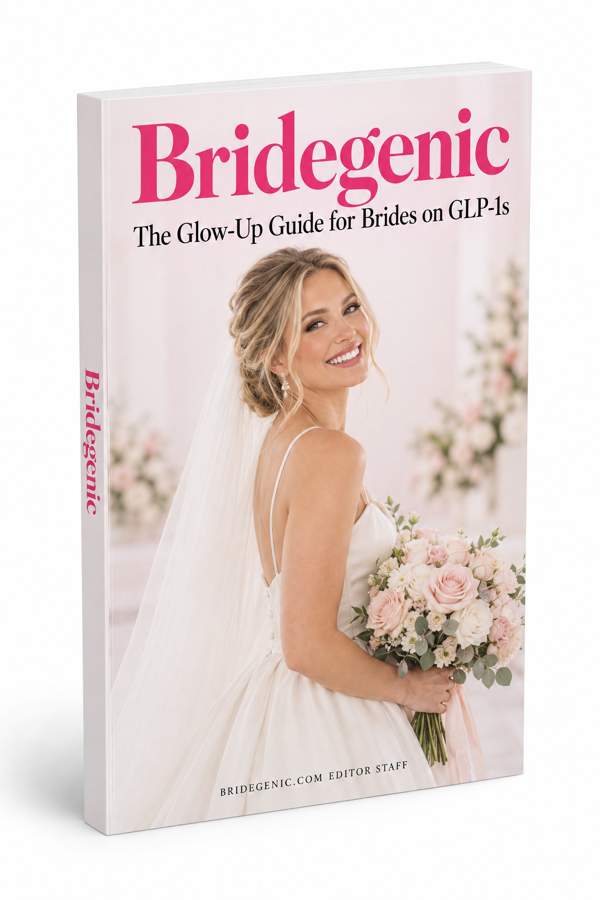
Physical Book (No Download)
Bridegenic: The Glow-Up Guide for Brides on GLP-1s
$12.95 + Free Shipping
Order NowThis article provides general education, not a diagnosis or an individual treatment plan. Medication information refers to US sources. Talk with your prescriber, pharmacist or dermatologist about decisions for your care.
Read next
Face & SkinEngagement Photos After Appearance Changes: A Brief for Your Photographer→Family & FriendsWhen Wedding Guests Comment on Your Weight or GLP-1 Medication→Sources
- How shared album controls give your photos more privacyGoogle Photos Help↩ Back to text
- How to use Shared Albums in Photos on your iPhone, iPad, or Apple Vision Pro, October 6, 2026Apple Support↩ Back to text
- Setting up client-only access in a collectionPixieset Help Center↩ Back to text
- Understand, find & edit your photos’ locationsGoogle Photos Help↩ Back to text